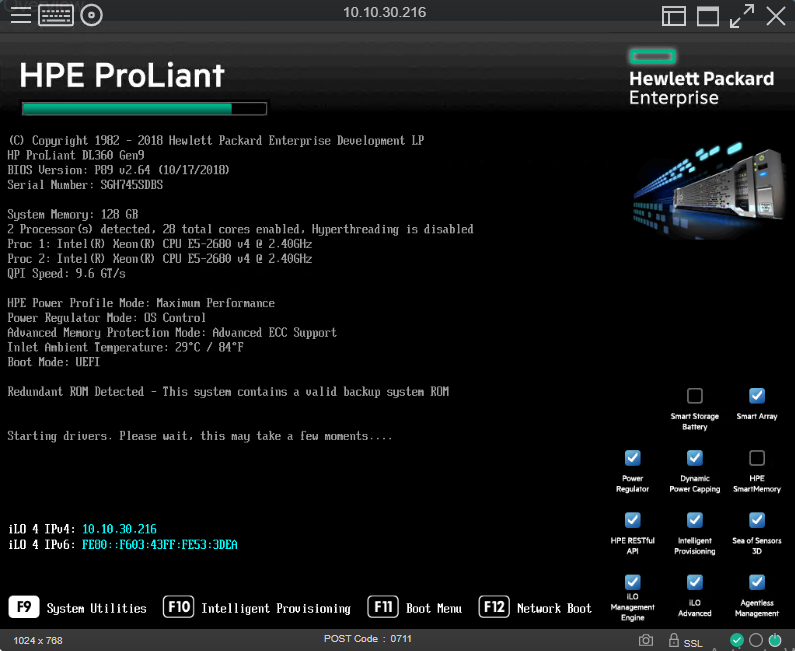
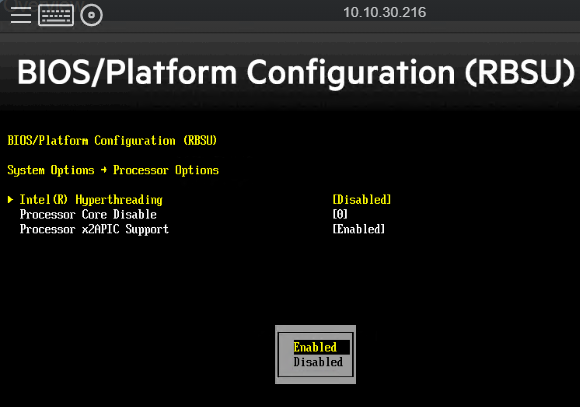
Fix lỗi chỉ nhận 1 CPU trên server HP DL360 Tạo ngày 29/03/2024 Đăng bởi Vu Trong mục Servers Khởi động lại server, F9 để vào System Utilities Vào System Configuration > BIOS/Platform Configuration (RBSU) > System Options > Processor Options, enable HyperThreading và chỉnh Processor Core Disable thành 0 F10 để lưu sau đó thoát Was this article helpful? Yes No

Leave A Comment?